
Mobile Ticketing
PLEASE NOTE: Credit Cards and Driver’s Licenses are no longer an acceptable form of entry! Read through the below instructions on how to get into Ball Arena on game-day with mobile tickets.
Updated 08, 2019 21:49
Mobile Entry Tickets are always available via Mobile Browser.
Step 1: Locate Tickets In-Account
- Account Manager: Season Ticket Holder tickets access tickets in Account Manager
- Step-by-step instructions: Account Manager Tickets | How to Sign In to Account Manager
- Ticketmaster Account: Tickets purchased on Ticketmaster.com or via free app.
- Step-by-step instructions: Ticketmaster.com / App | How to Sign In to Ticketmaster account
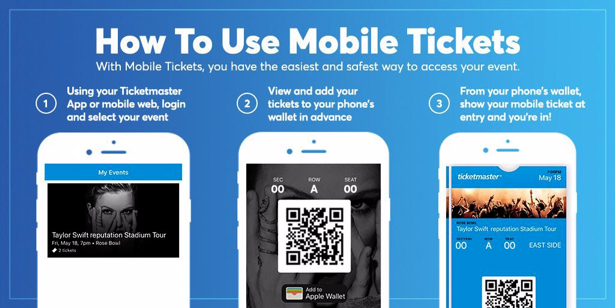
Step 2: Login to Account, navigate mobile web or app and select your event
Step 3: View and add your tickets to your phone’s wallet in advance
Step 4: From your phone’s wallet, show your mobile ticket at entry and you’re in!
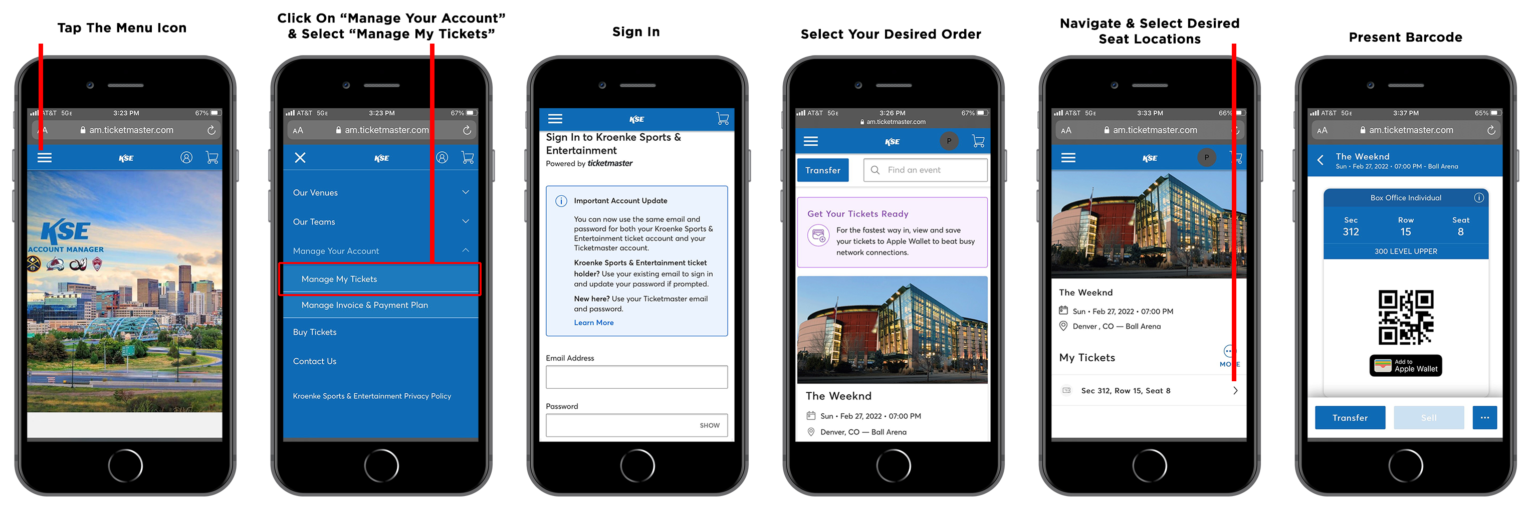
View Step-by-Step Instructions: Accessing ACCOUNT MANAGER Mobile Tickets
- Open web browser on mobile device and go to am.ticketmaster.com/kse.
- Tap the menu icon on the top left of your screen and click “My Tickets.”
- Sign in and tap on your order.
- Click the “View Barcode” button to access your tickets or Add to Wallet
-Swipe left to view additional tickets - Present barcode to get scanned for entry and you’re in!
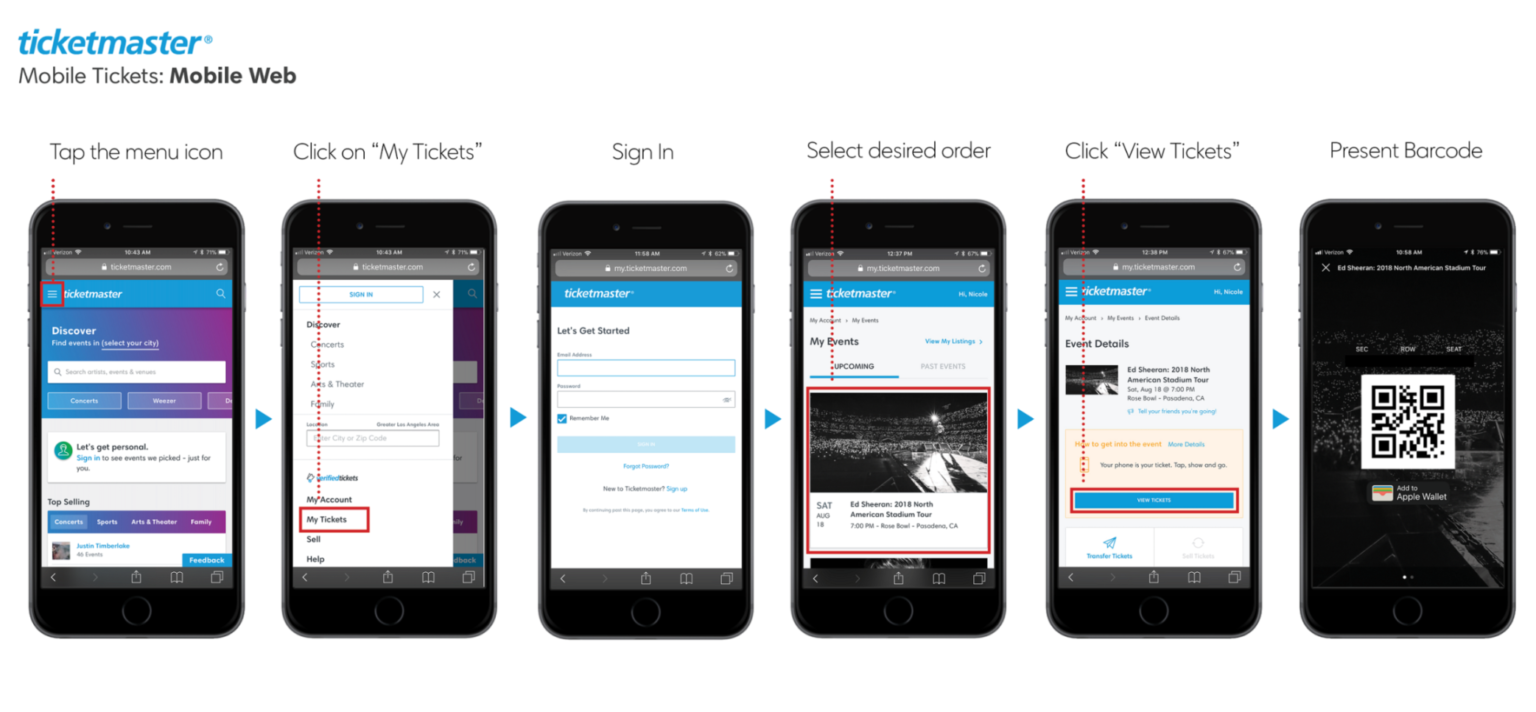
View Step-by-Step Instructions: How To Access Your TICKETMASTER.COM Mobile Tickets
- Open web browser on mobile device and go to Ticketmaster.com
- Tap the menu icon on the top left of your screen and click “My Tickets.”
- Sign in and tap on your order.
- Click the “View Tickets” button to access your tickets.
- Present barcode to get scanned for entry and you’re in!
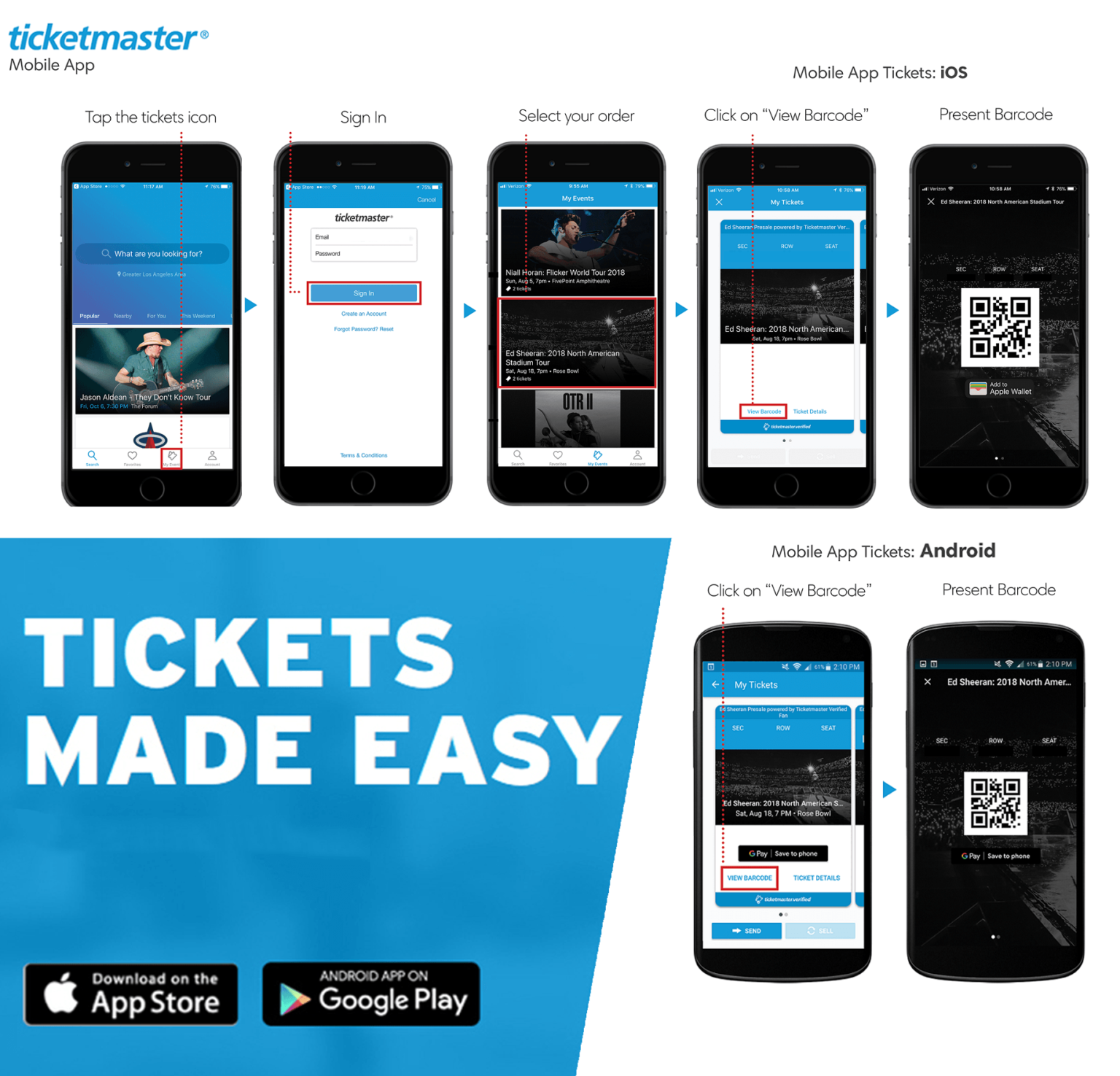
View Step-by-Step Instructions: How To Access Your TM APP Mobile Tickets:
- Open your Ticketmaster App.
-Download Today: Apple App Store | Google Play - Tap the Tickets icon.
- Sign in and tap on your order.
- Click “View Barcode” to access your tickets.
- Present barcode to get scanned for entry and you’re in!
Have more questions? Submit a request